
Making logins quicker and easier for every pupil — in school and at home
We’ve introduced a new sign‑in system called MyLogin to make it much easier for pupils to access their learning apps. No more forgotten passwords, long username lists, or complicated logins — pupils simply scan a QR badge
MyLogin is now live across school, with QR codes already generated for every pupil.
What is MyLogin?
MyLogin is a secure, child‑friendly login portal. Once pupils sign in, they can access all their learning apps from one place — with one click.
Currently available through MyLogin:
- Purple Mash
- Times Tables Rock Stars (TTRS)
- Learning by Questions (LbQ) – session code still needed
More apps and research sites will be added over time.
How Pupils Log In
Option 1: QR Badge
Every pupil receives a personal “Magic Badge” QR code.
They simply:
- Open the MyLogin / School Apps icon
- Hold up their QR badge to the device’s camera
- They’re logged in instantly — no typing required!
Emoji passcodes also available for all pupils if no camera on device.

Using MyLogin in School
On iPads
- Tap the School Apps / MyLogin icon.
- When asked, tap Allow to give camera access.
- Pupils scan their QR badge.
- All their apps appear on one screen.
This replaces multiple logins or switching between apps.
On Chromebooks
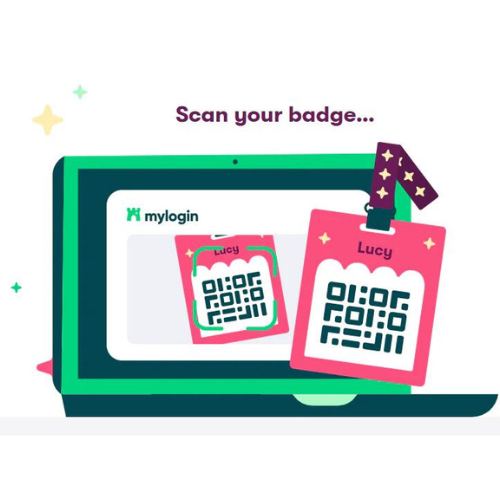
Chromebooks open straight to the MyLogin page — removing the need for Google passwords altogether.
Using MyLogin at Home
Parents and pupils can log in from any device using:
👉 https://app.mylogin.com/login/gosford-park-primary-school
Then:
- Click the camera icon
- Allow access
- Scan the pupil’s QR badge
That’s it — they’re in.
A parent communication will go out once classes have tested the system in school.
Where Staff Can Find the QR Badges
All pupil QR badges are stored here:
StaffPool → CURRICULUM → COMPUTING
Badges are also being printed on Avery self‑stick labels for reading diaries.
If you want to print your own copies, you can.
Lost Badges or Login Issues
If a QR code has gone missing, been damaged, or isn’t working:
📧 Email Tom Adams
I can reprint or reset any pupil’s login details in seconds.
Future Features
We will continue adding apps and useful websites, such as:
- BBC Bitesize
- Multiplication Check practice
- Topic‑specific research links
- Short‑term or class‑specific sites
Pupil accounts for new starters are created automatically, and pupils who leave are removed from class lists.